
El trabajo se autoriza antes que la máquina.
El Site Foreman es el software de preparación de trabajos por el que pasa cada trabajo de Steady Eddie. Un trabajo, un sitio, hasta doce unidades Eddie, cada una en su propia máquina. Un supervisor define el trabajo, declara el terreno, autoriza el trabajo, comprueba el plan y mantiene el registro, a través de seis puertas. Hasta que todas las puertas estén cerradas, nadie puede solicitar a Eddie.
Antes de Eddie, no junto a él.
El Foreman es la consola con la que trabaja un supervisor en la hora previa a que se arme una máquina, y la misma que ese supervisor cierra al final del turno. Funciona en un navegador, en una computadora común, en la oficina del sitio o en la camioneta.
Nunca toca la máquina, no mantiene ninguna sesión con Eddie, y no puede poner nada en marcha. Lo más lejos que puede llevar un trabajo es a listo para solicitar. A partir de ahí, una persona identificada le pide la máquina a otra persona, y esa solicitud ocurre entre personas. Preparado, instalado y autorizado son tres estados distintos, y el Foreman los mantiene separados.
- Doce unidades
- En un trabajo, un sitio, cada Eddie en su propia máquina con su propio conjunto de habilidades y su propia revisión previa.
- Cinco pasos
- Definir, terreno, autorización, comprobar, registrar. En ese orden, en cada trabajo.
- Seis puertas
- Cada una se cierra con algo que una persona identificada escribió hoy.
- Un registro
- Cada acto, en orden, encadenado al anterior. Nada se elimina.
Definir. Terreno. Autorización. Comprobar. Registrar.
El Foreman recorre un trabajo en el orden en que ya lo hace un buen supervisor, y no permite que se omita ningún paso.
Definir
El alcance del trabajo, las unidades en el trabajo, y el conjunto de habilidades para el que se contrata a cada una.
Terreno
El sitio y sus datos, el mapa, el trazado y la ruta de acarreo. El terreno solo puede quitar permisos, nunca darlos.
Autorización
El boleto de localización antes de abrir el terreno, y la revisión previa en cada máquina y en todo el trabajo.
Comprobar
El plan dibujado para que una persona pueda aprobarlo, y las seis puertas que indican en qué punto se encuentra el trabajo.
Registrar
El reporte diario y el registro maestro. El relato del turno, y un registro que no se puede alterar en silencio.
Doce pantallas, un trabajo.
Cada pantalla tiene una función y dice, en sus propias palabras, qué puede y qué no puede hacer. Todas están en la demostración.
Trabajo
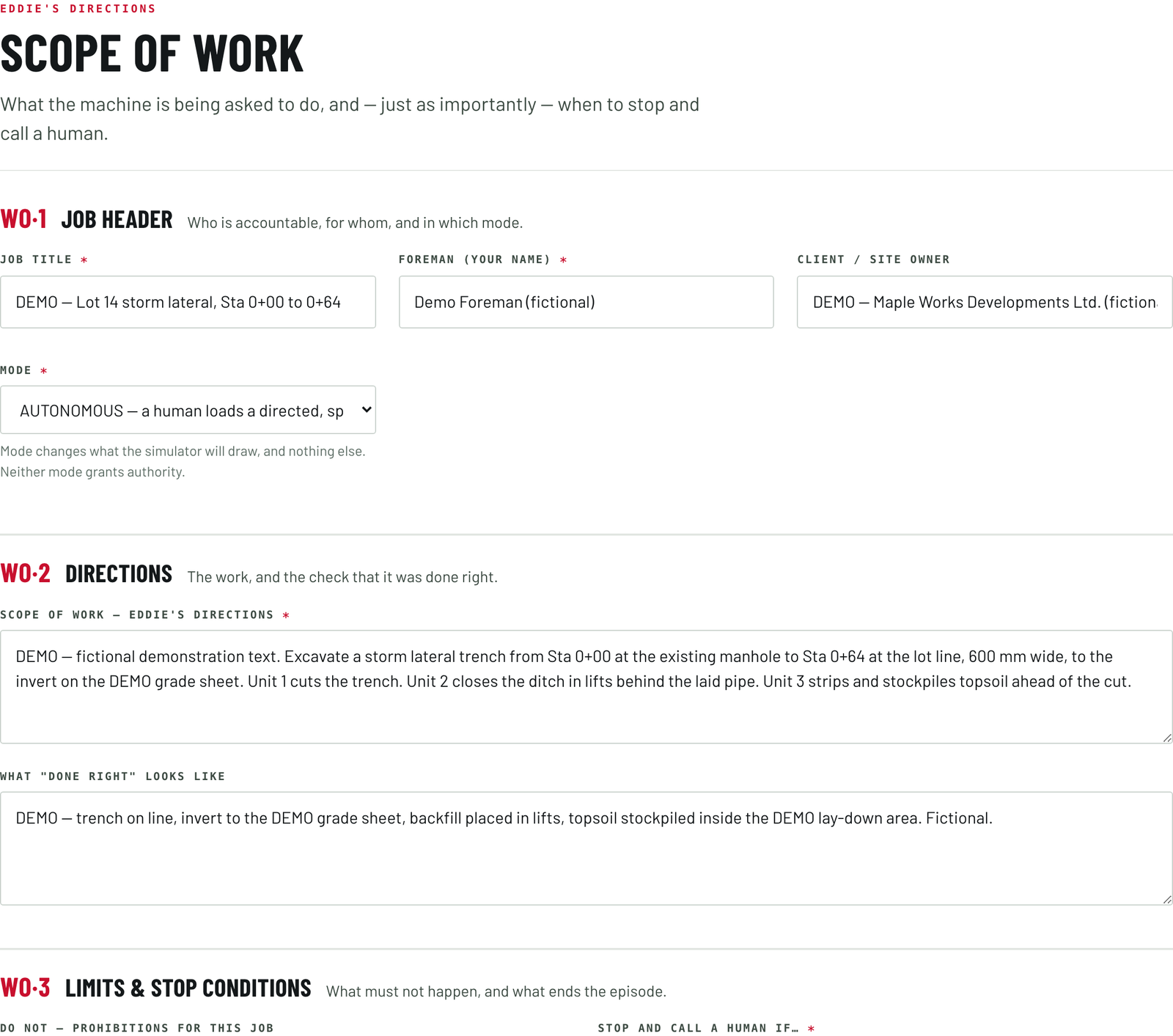
El alcance del trabajo: qué se le pide a la máquina que haga y, con la misma importancia, cuándo detenerse y llamar a una persona.
Flota
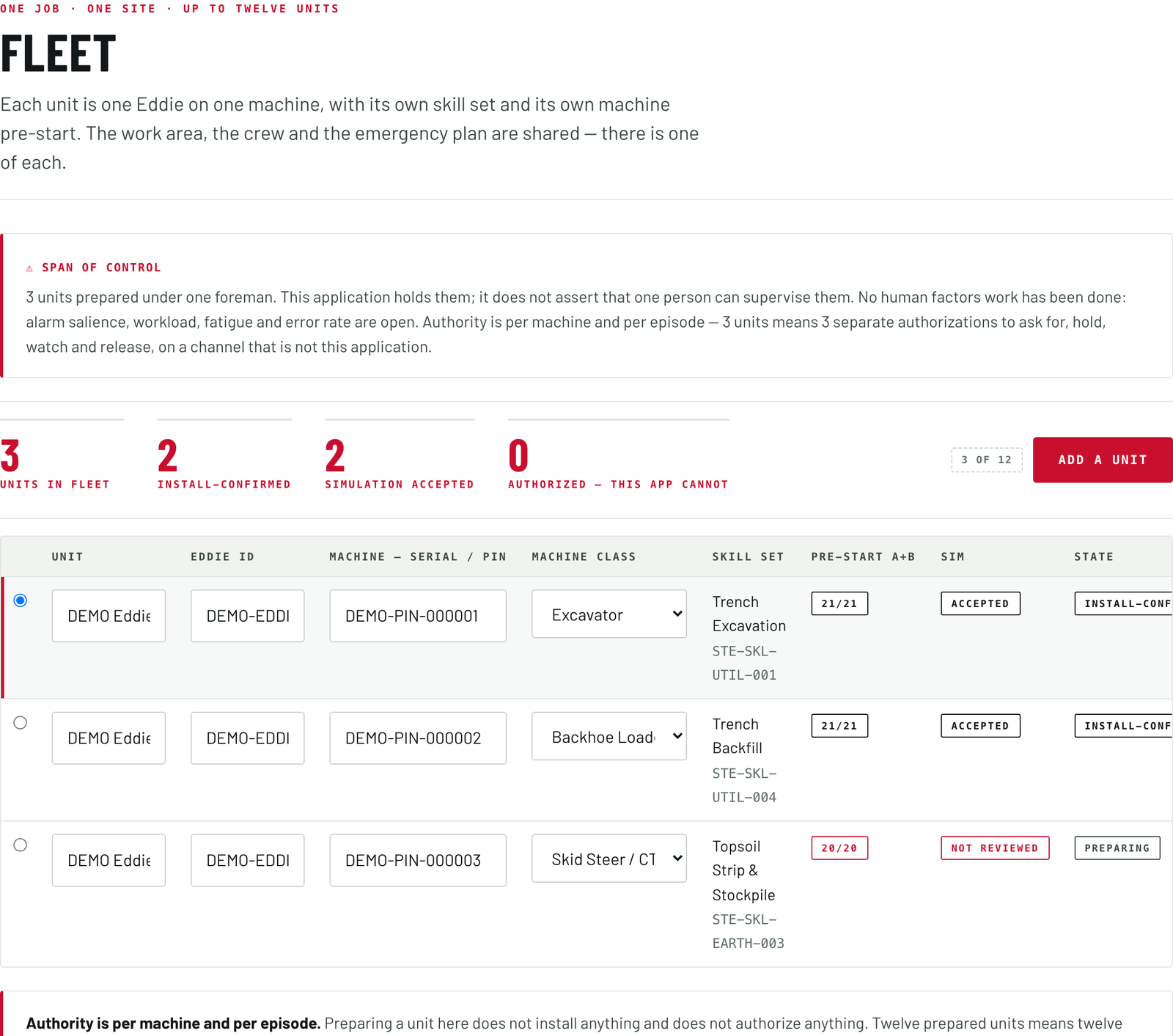
Un trabajo, un sitio, hasta doce unidades. Cada unidad es un Eddie en una máquina, con su propio conjunto de habilidades y su propia revisión previa. El área de trabajo, la cuadrilla y el plan de emergencia son compartidos.
Conjunto de habilidades
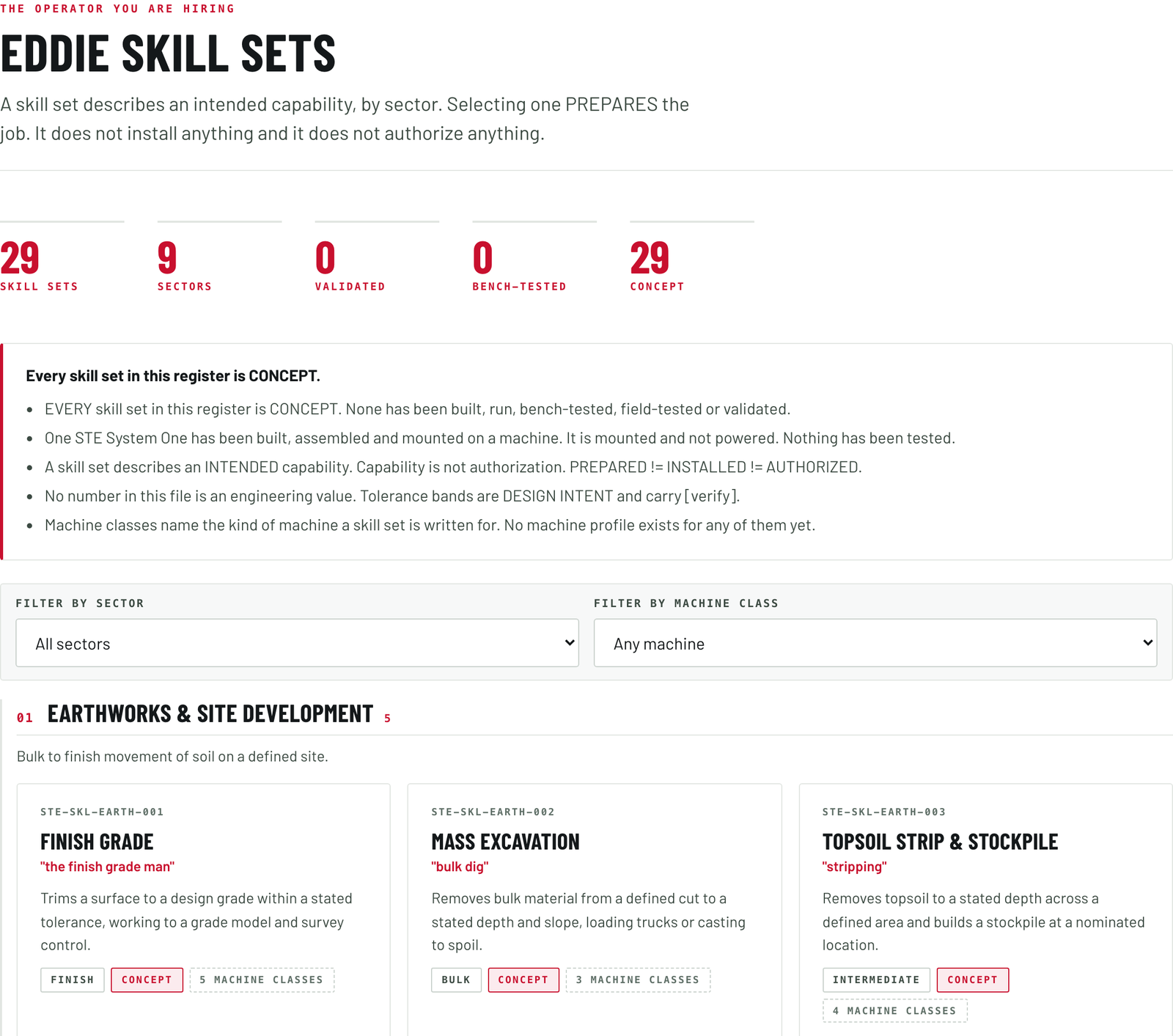
El operador que está contratando, por sector: movimiento de tierra, zanjeo y servicios subterráneos, caminos, agregados y cantera, agricultura, silvicultura y desmonte, nieve y mantenimiento de terrenos, residuos y reciclaje, patio y manejo de materiales. Seleccionar uno prepara el trabajo. No instala nada y no autoriza nada.
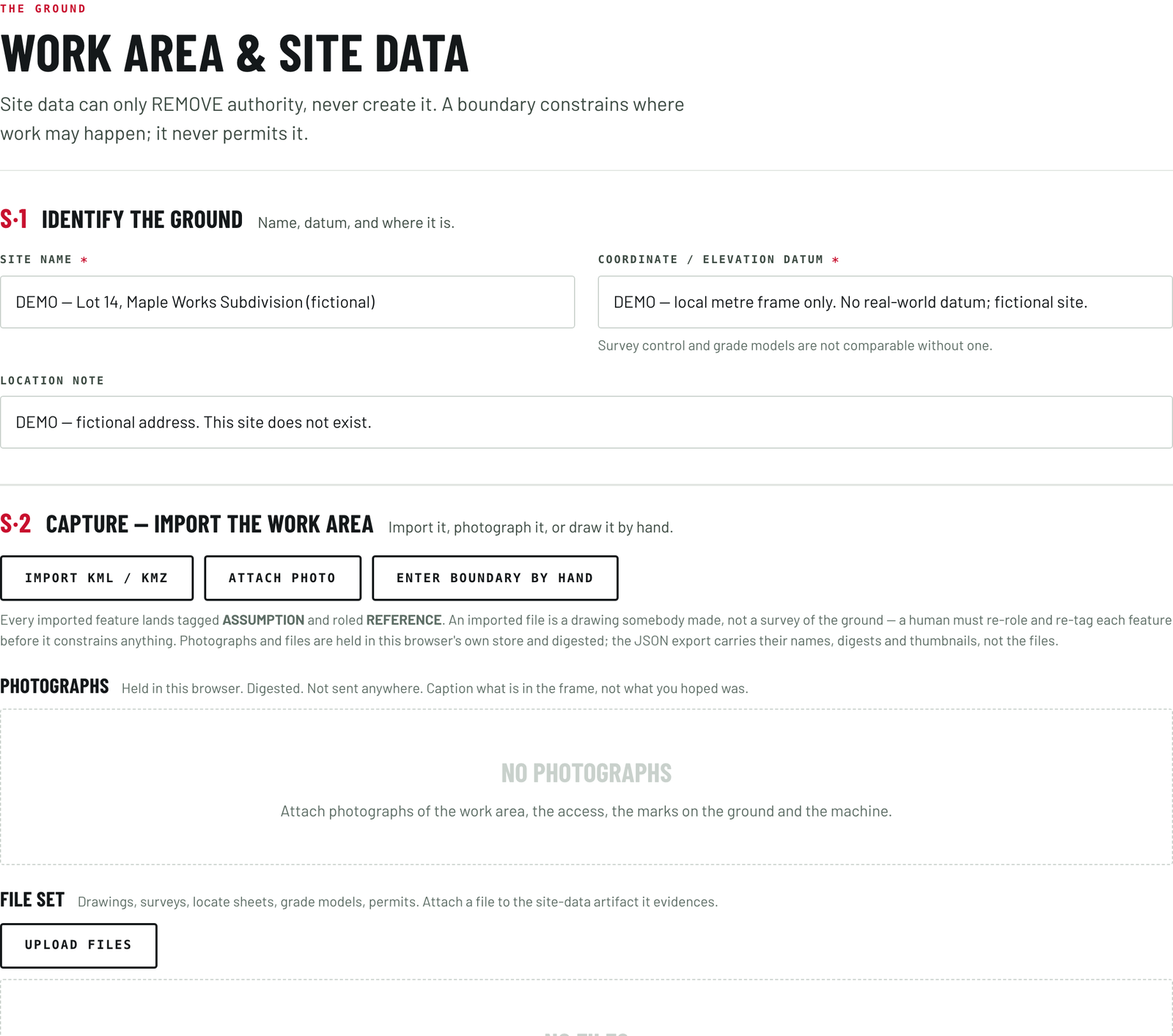
Site
Work area and site data. Site data can only remove authority, never create it. A boundary constrains where work may happen. It never permits it.
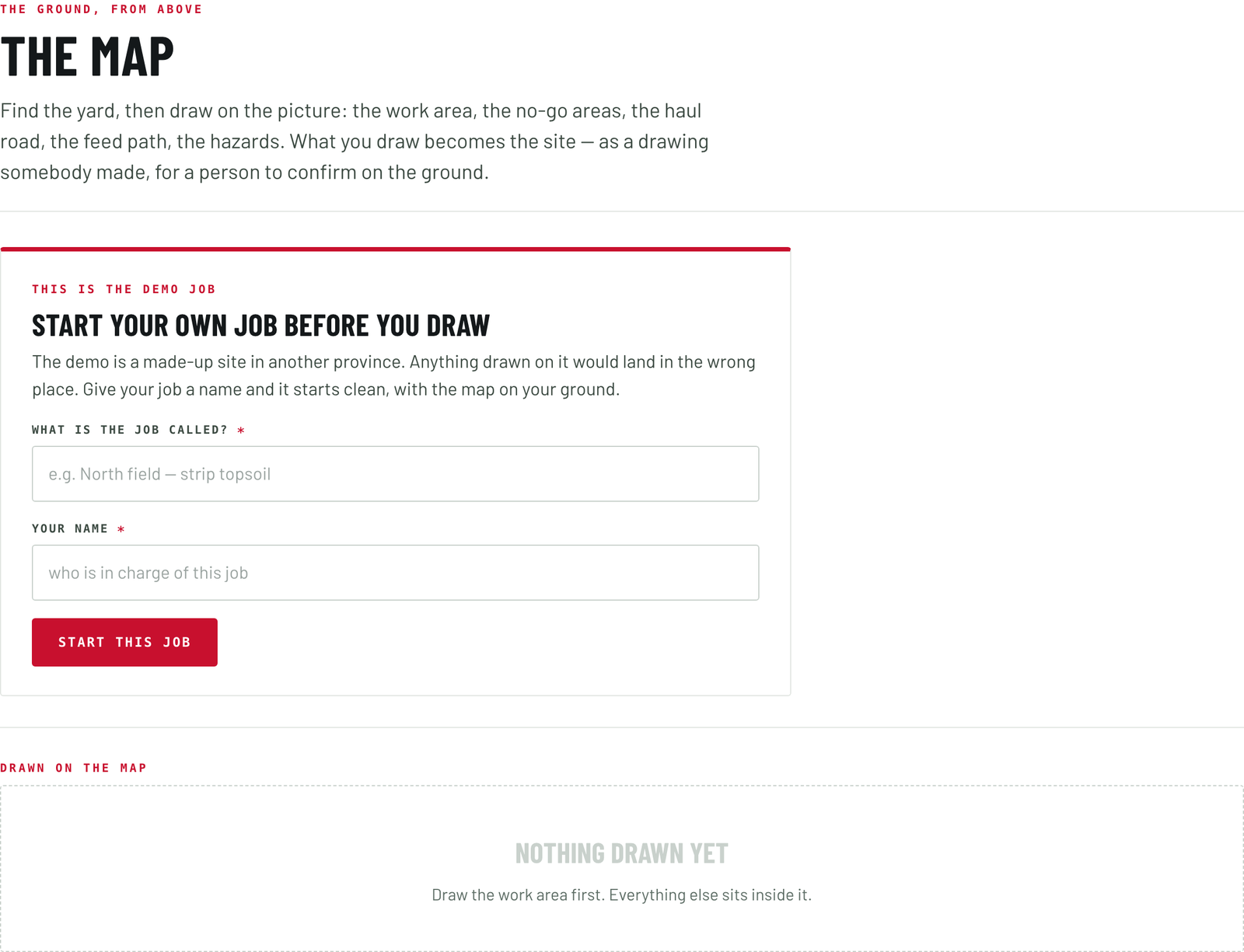
Map
The ground, from above. Find the yard, then draw on the picture: the work area, the no-go areas, the haul road, the feed path, the hazards. What you draw becomes the site, as a drawing somebody made, for a person to confirm on the ground.
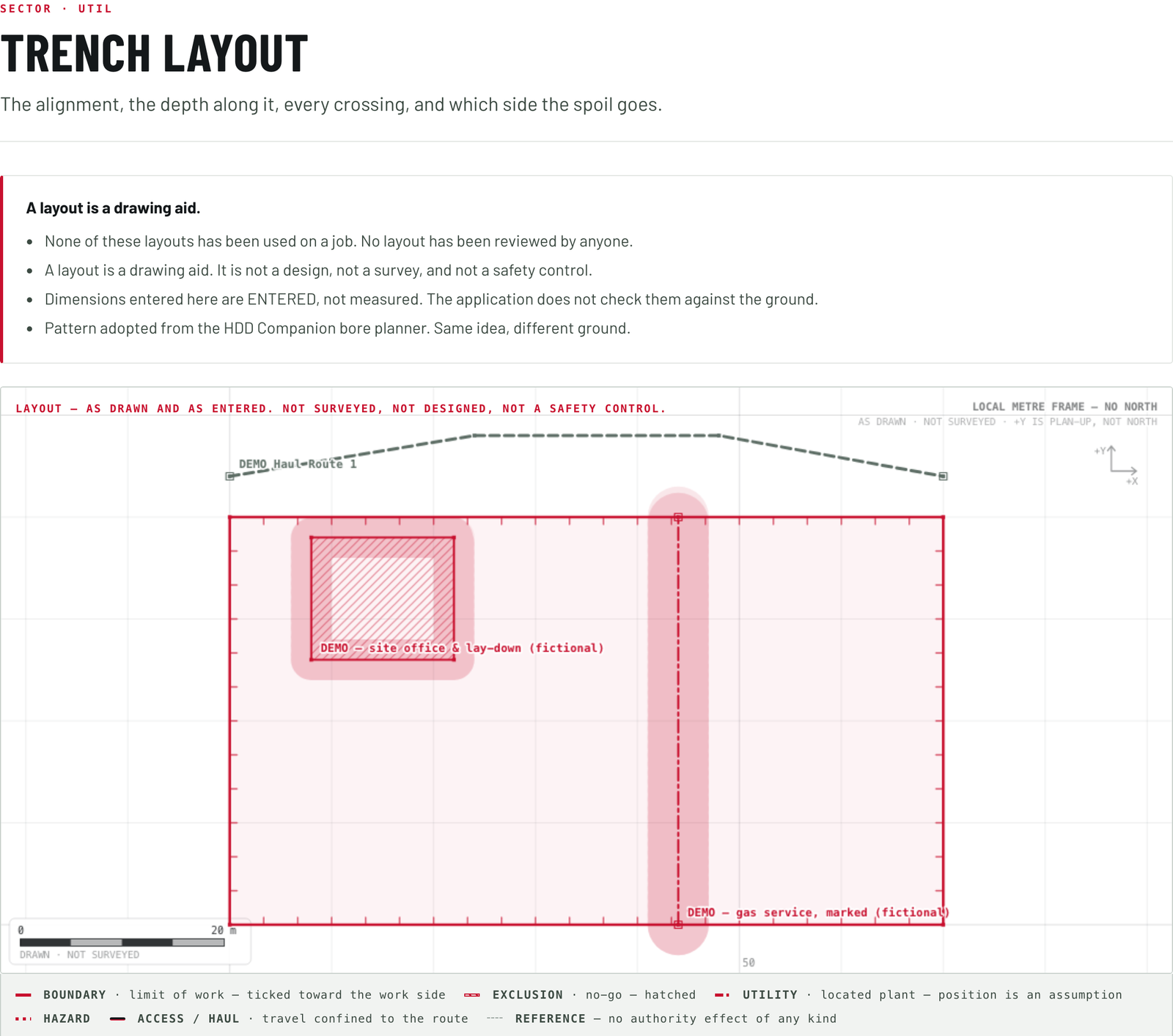
Layout
The layout the sector calls for. For utility work: the alignment, the depth along it, every crossing, and which side the spoil goes.
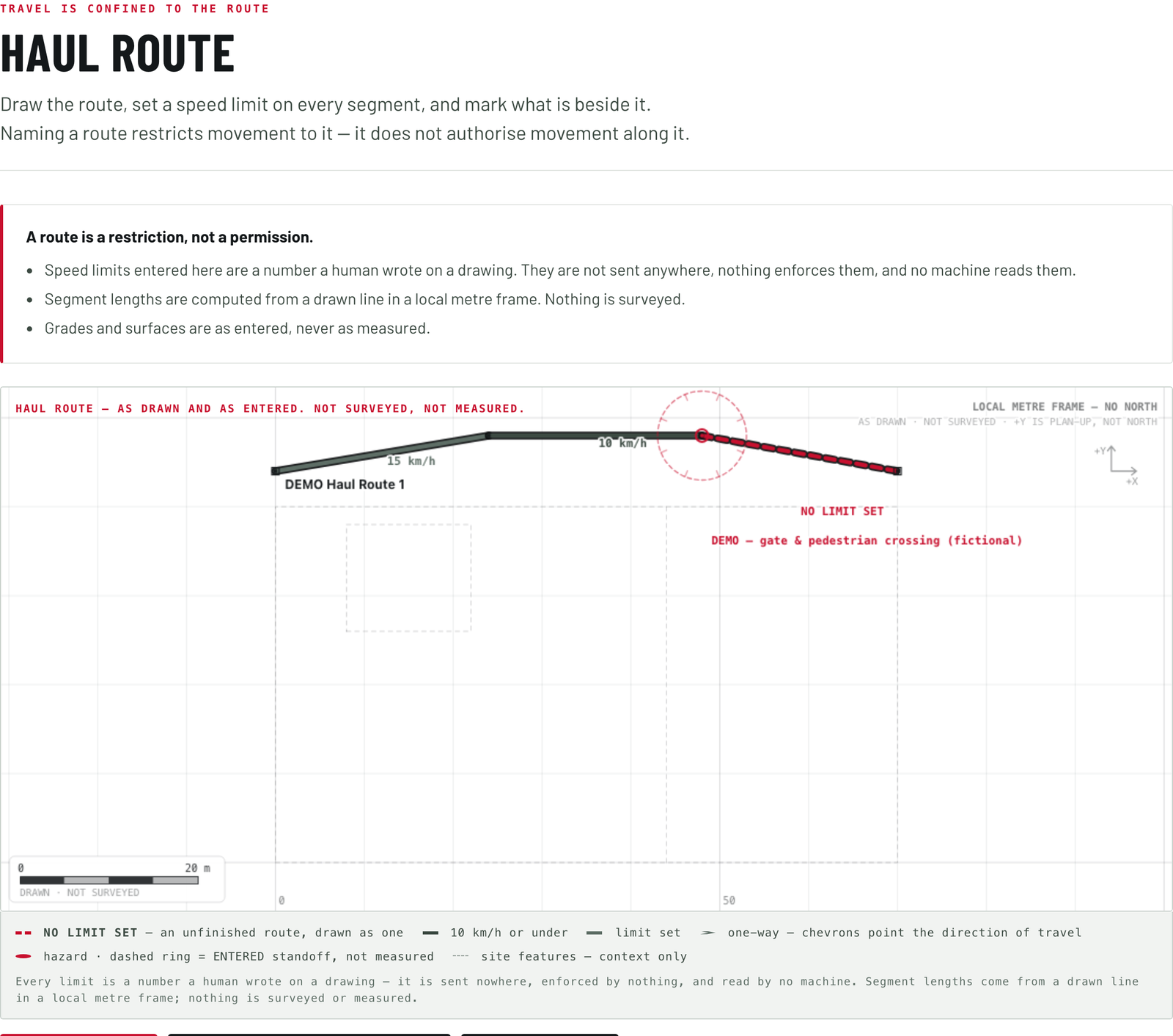
Haul route
Travel is confined to the route. Draw it, set a speed limit on every segment, and mark what is beside it. Naming a route restricts movement to it. It does not authorize movement along it.
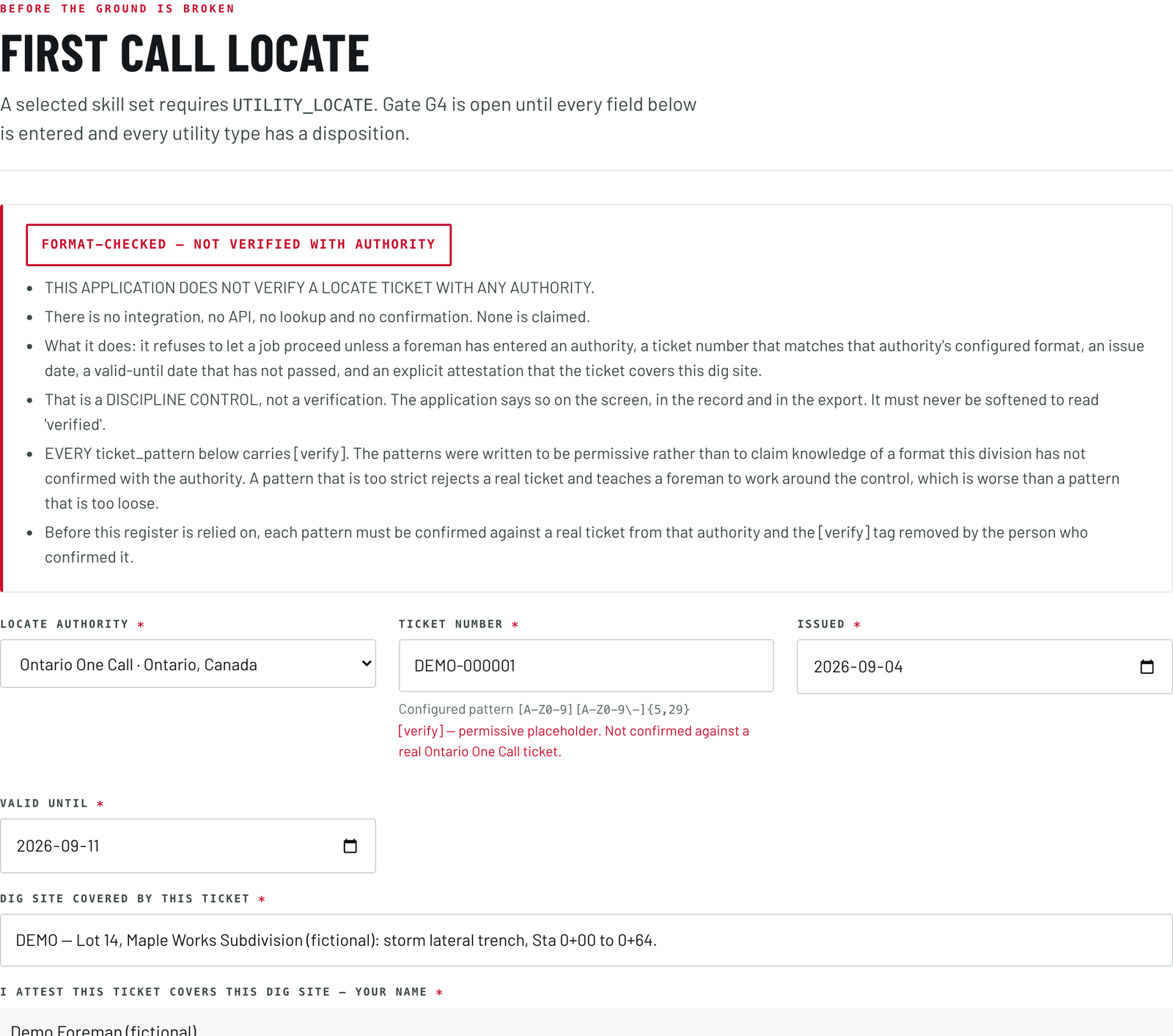
First call
Before the ground is broken. The locate ticket entered, in date, and a disposition for every utility type. The gate stays open until every field is filled.
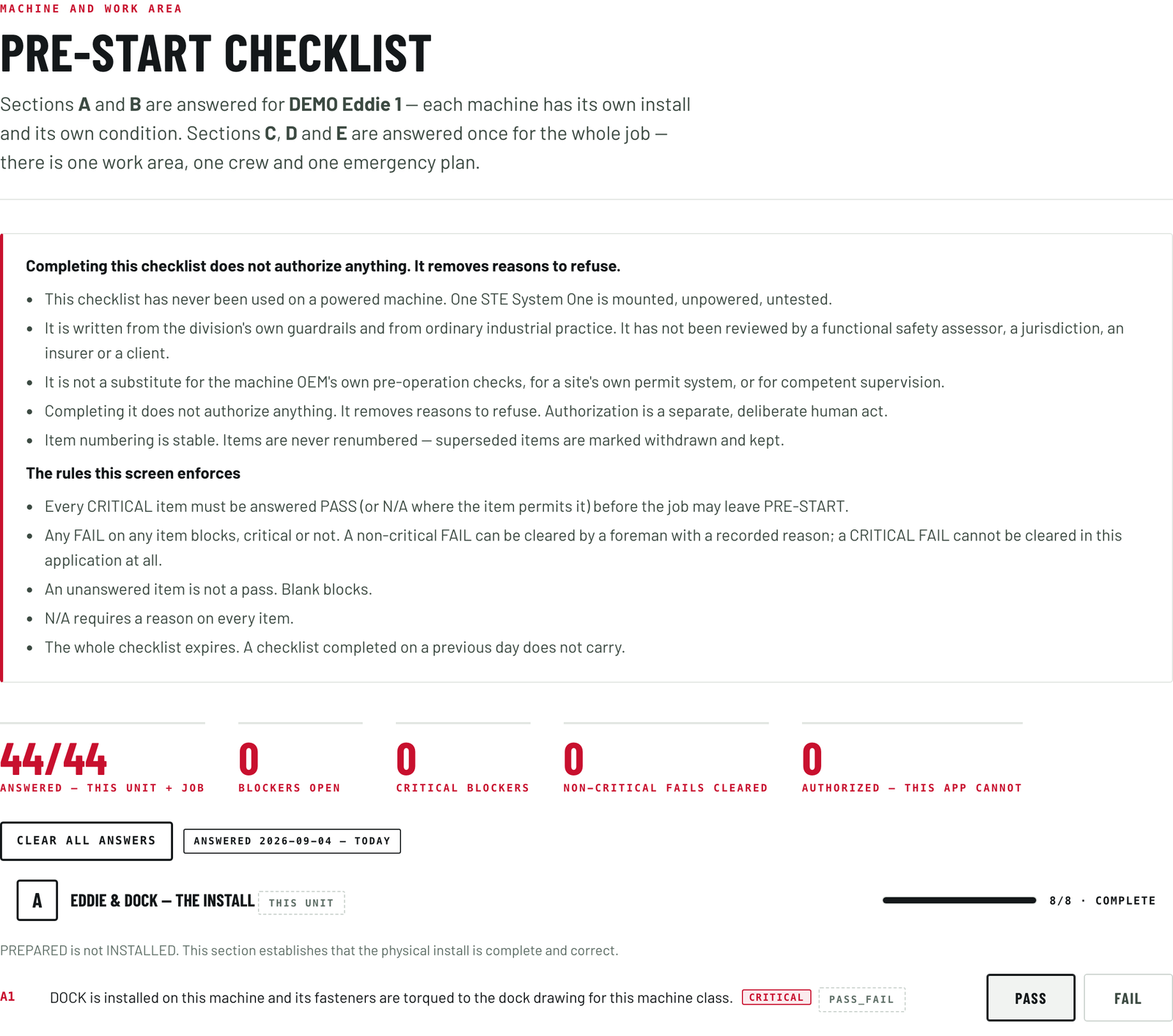
Pre-start
Machine and work area. The install and the host machine answered for each unit. The work area, the people and their authorization, and stop and recovery answered once for the whole job.
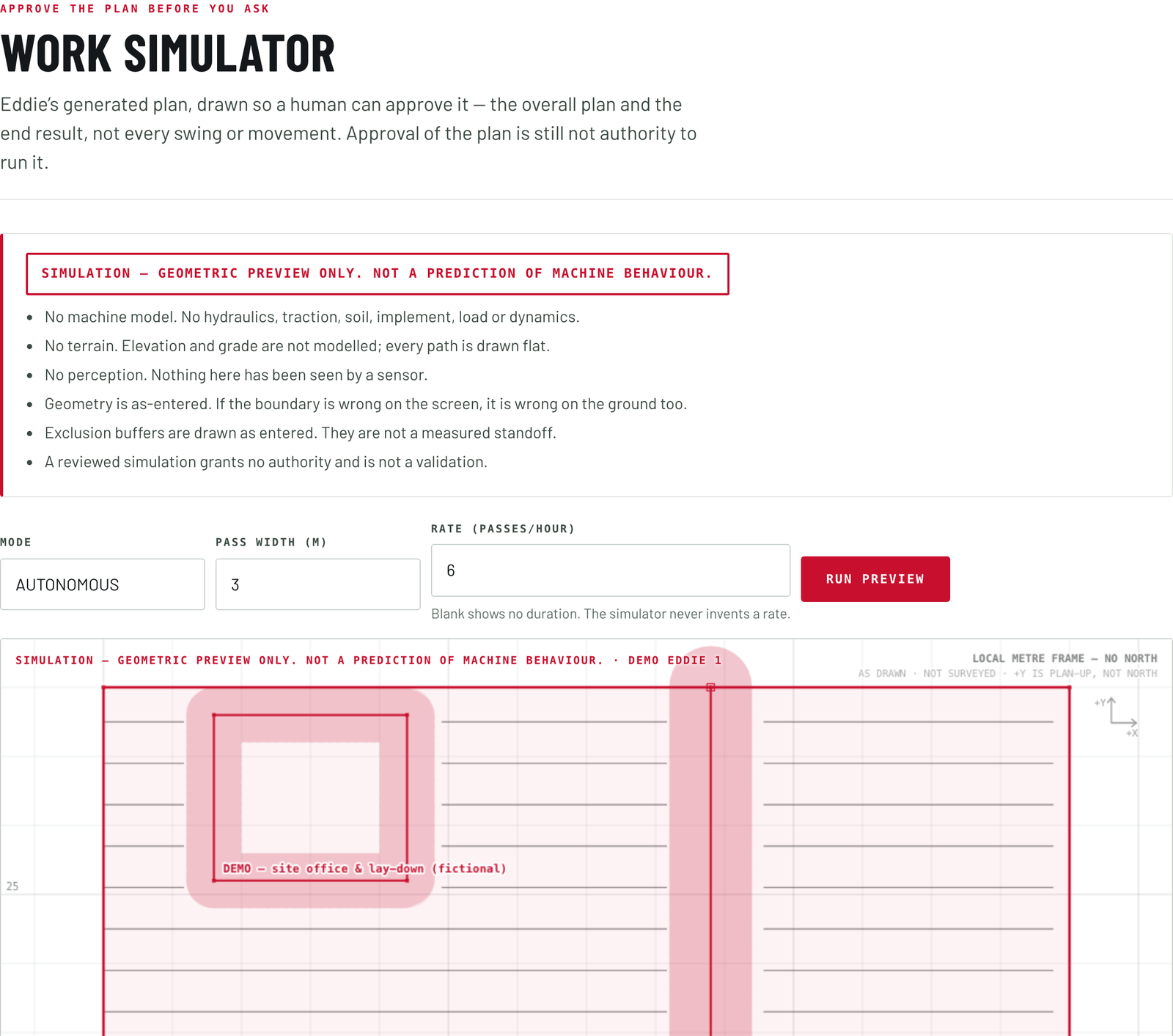
Simulator
Approve the plan before you ask. Eddie's generated plan, drawn so a human can approve it: the overall plan and the end result, not every swing. Approval of the plan is still not authority to run it.
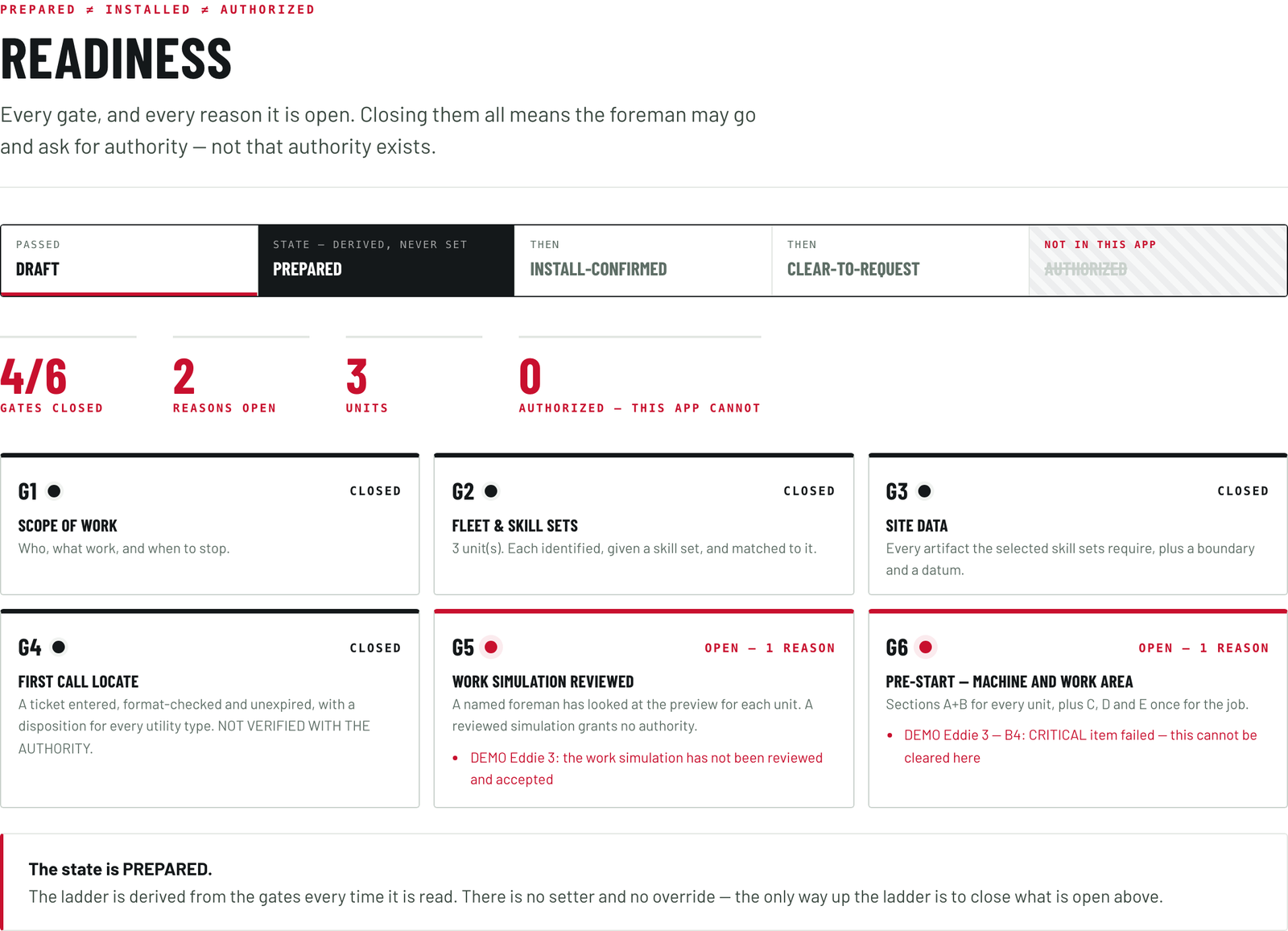
Gates
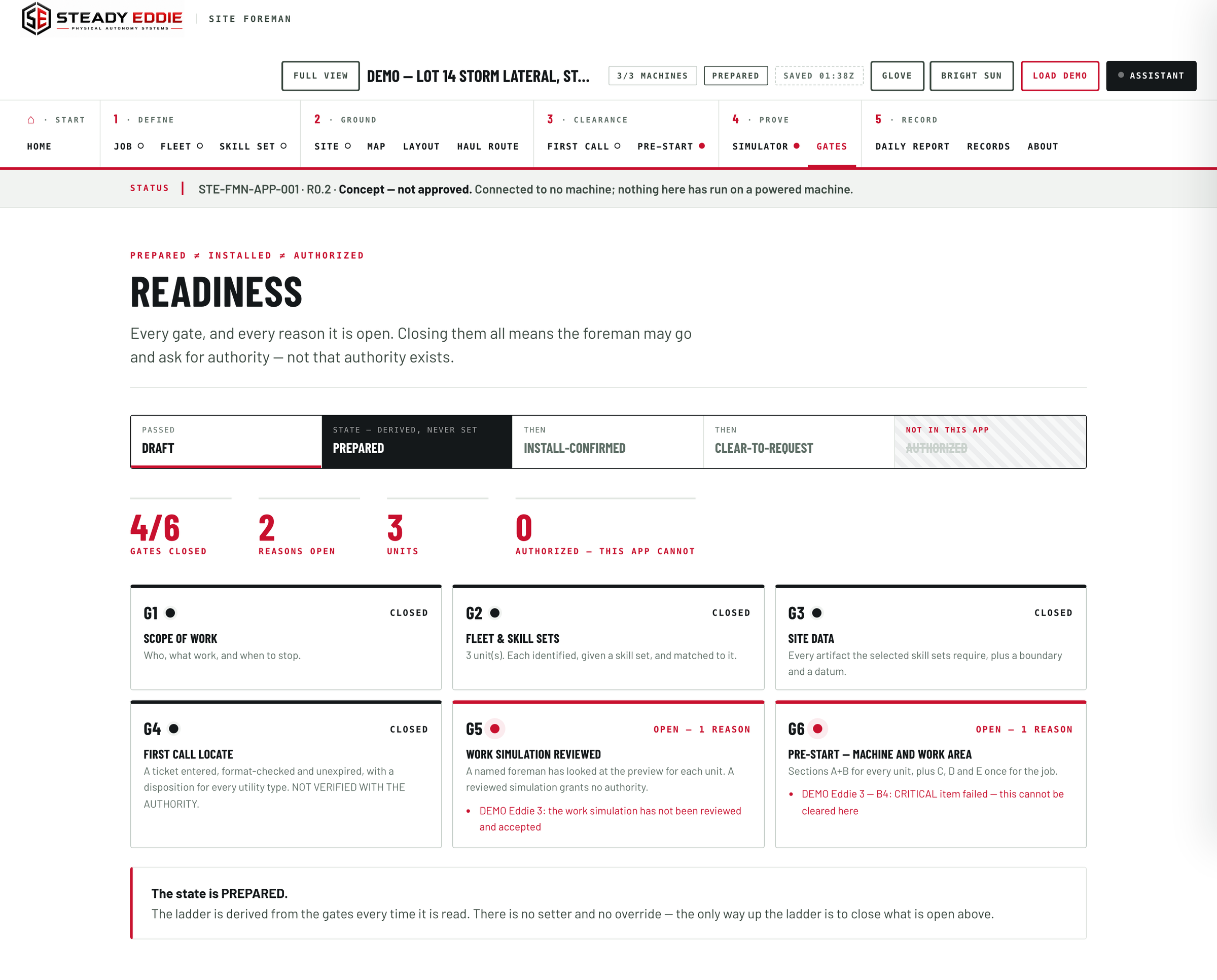
Readiness. Every gate, and every reason it is open. Closing them all means the foreman may go and ask for authority, not that authority exists.
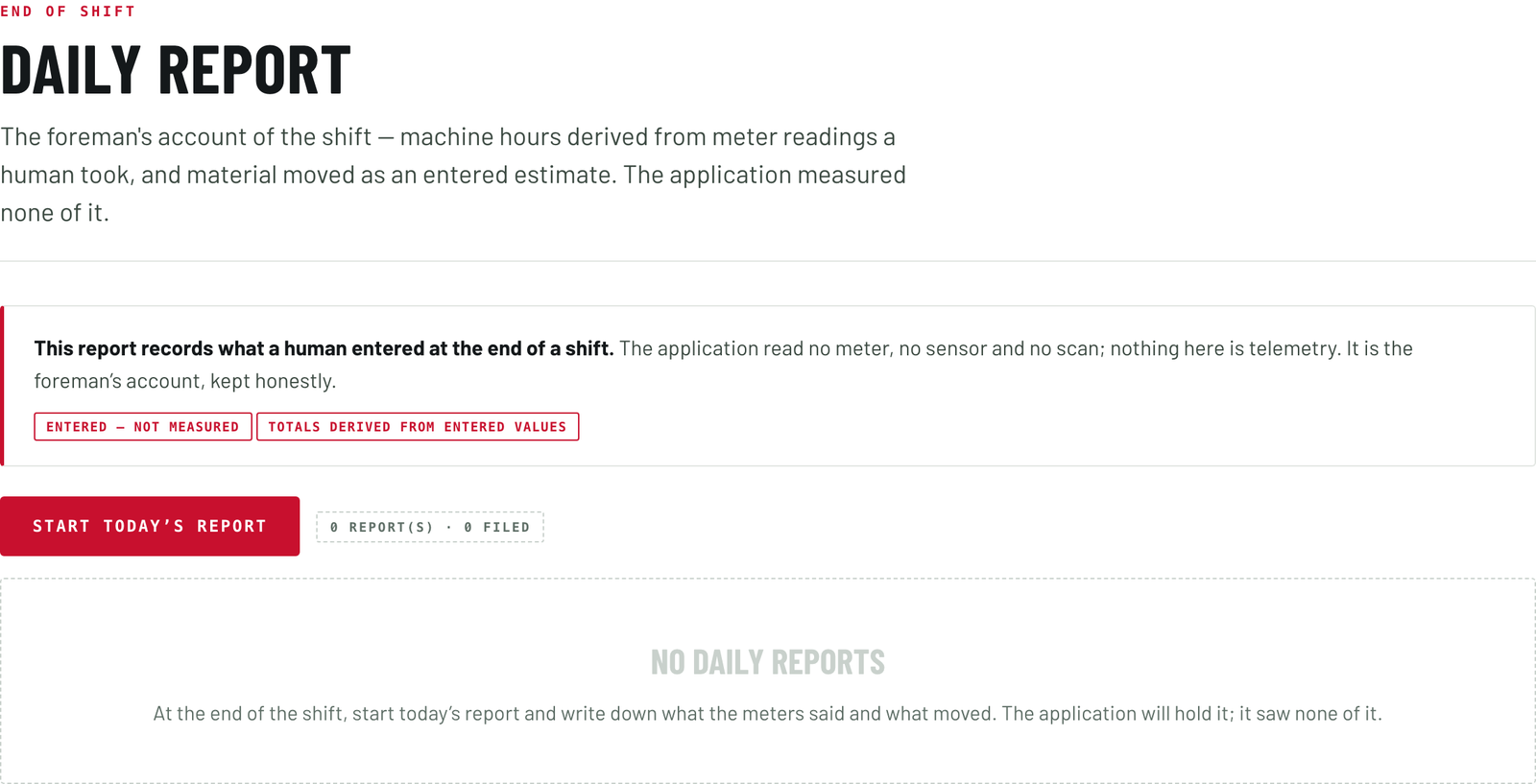
Daily report
End of shift. The foreman's account: machine hours from meter readings a person took, material moved as an entered estimate. The application measured none of it.
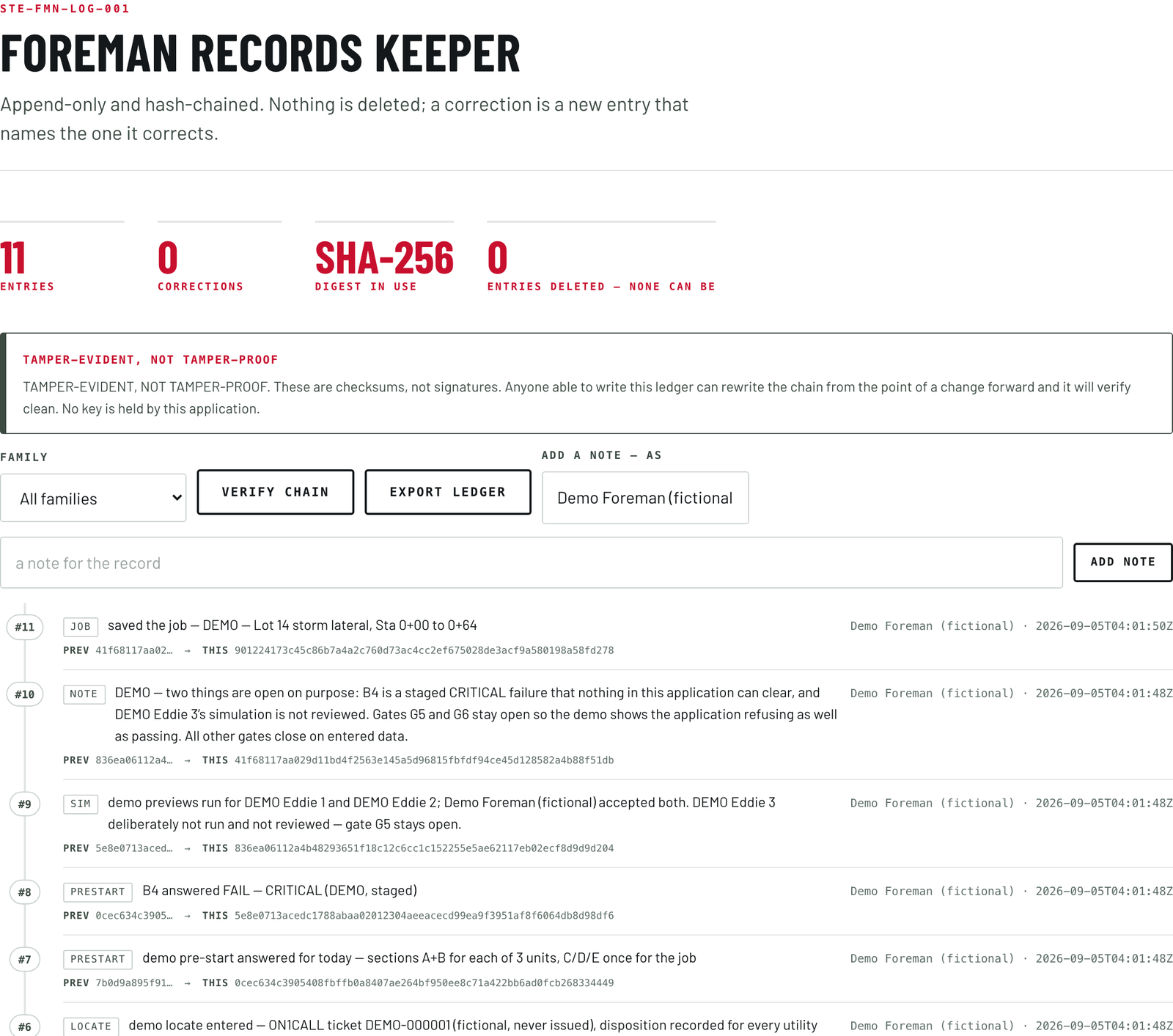
And one record of all of it.
Everything the twelve screens do lands in the records keeper: append-only and chained, so nothing is deleted and a correction is a new entry that names the one it corrects. The record of the shift exists whether or not anyone asks for it.
Every figure in it is marked as entered by a person, because the Foreman reads no meter and no sensor.
Six gates, in order.
A job moves forward only when the gate in front of it closes, and every gate closes on something a named person wrote down today.
- Scope of work.
The job, the foreman, the machine, the mode of work, the boundary of the task, and the stop-and-call-if conditions, all written before anything else.
- The units on the job.
Every unit identified and matched to the work it is set up to do.
- Site data.
A named site, a boundary and a datum, with the drawings and surveys the work calls for. Site data can only take permission away. It never grants any.
- Locates.
The utility locate ticket entered, in date, with a clear answer for every utility type. The Foreman checks the ticket. The clearance itself stays yours to hold.
- Work review.
A named reviewer accepts the work preview for each unit.
- Pre-start.
The walk-around and the checks on the machine and the job, answered by a named person, on the day. Preparing a job is not the same as fitting a machine, so the fit is confirmed here before the job moves on.
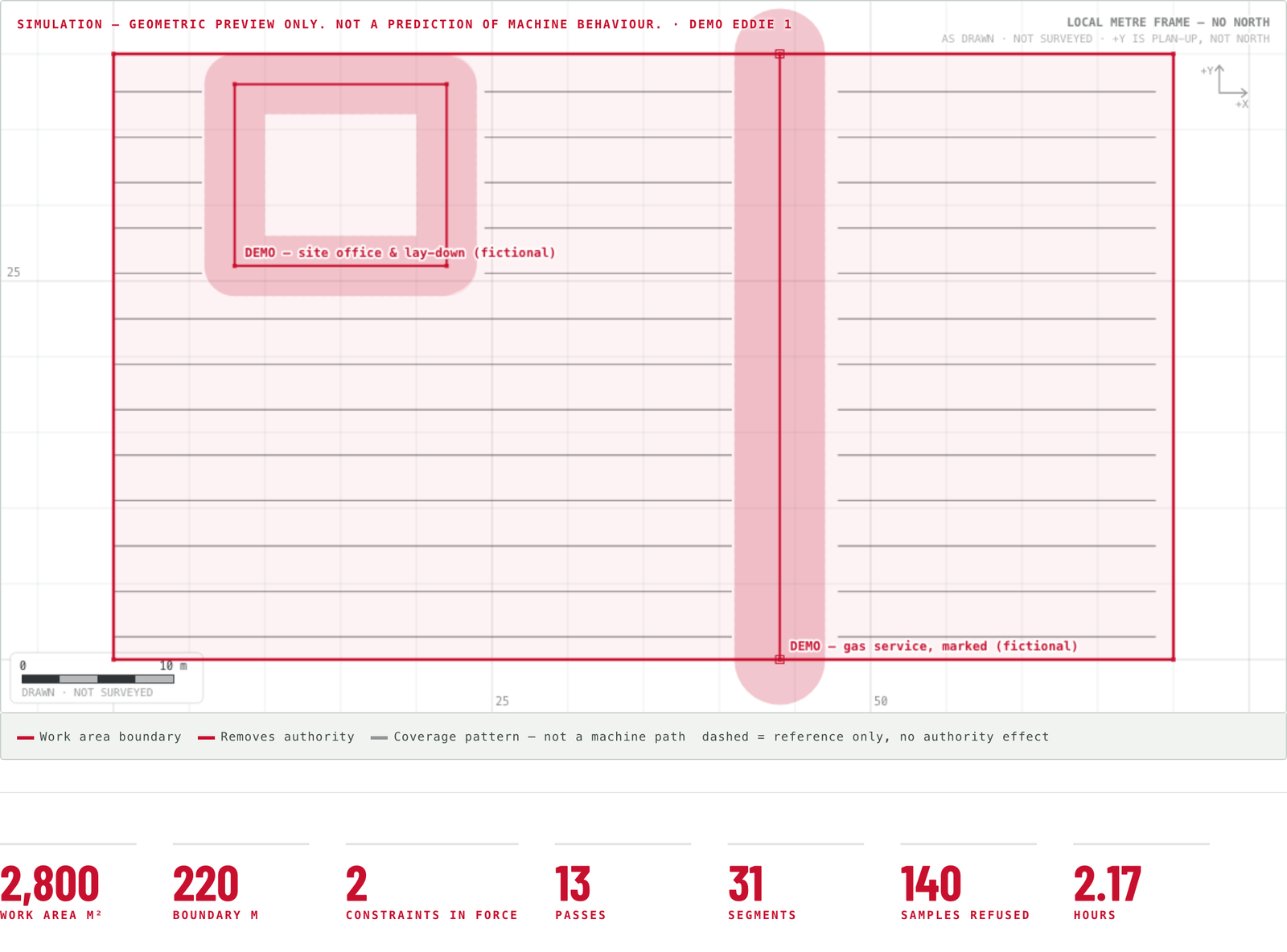
Humans authorize. The Foreman makes sure of it.
Humans authorize is the rule that runs through everything we build, and the Foreman is that line written into software. It clears away every reason the system has to refuse a job, and then it stops. It cannot say go. Only a person can.
What that means on your site.
- The rules your site has already written down are the rules the job is checked against.
- Your foreman opens the job and closes it out. Nobody outside the site does either.
- A machine with Eddie in the seat has a scope, a stop plan and a named person behind it before it is armed.
- The record of the shift exists whether or not anyone asks for it.
See it working.
The demo runs in your browser behind an access password. Load the demo job once you are in: three units, a site, a locate ticket and a pre-start with one failed item, so you can watch a gate refuse as well as pass. Nothing you do in it reaches a machine.